Connect Fireflies to Myuser in 2 minutes
Your recorded meetings, transcripts and AI summaries - synced into Sales Hub Recordings and readable by your Master AI.
Fireflies.ai records your meetings and writes the transcript. Connect it to Myuser and every recorded meeting lands in Sales Hub > Recordings next to your native Myuser dialer recordings - with the full transcript, the AI summary, a watch link, and a "Recorded by Fireflies" tag. Meetings are matched to your campaign leads by attendee email, and your Master AI can answer questions about them.
What you get
- One recordings list - Fireflies meetings appear in Sales Hub > Recordings together with native dialer calls; each row shows which software recorded it and a watch ↗ link.
- Full transcript in Myuser - the same transcript viewer used for dialer calls, with real speaker names.
- AI summary + action items - shown above the transcript.
- Lead + call matching - attendees are matched to your campaign leads; when a synced booking exists for that lead around the meeting time, the recording attaches to that call automatically.
- Master AI awareness - ask "what happened on my calls this week?" (summaries) or "what exactly did they say about pricing in the Acme call?" (deep transcript check).
Step 1 - copy your Fireflies API key
- Log in at app.fireflies.ai.
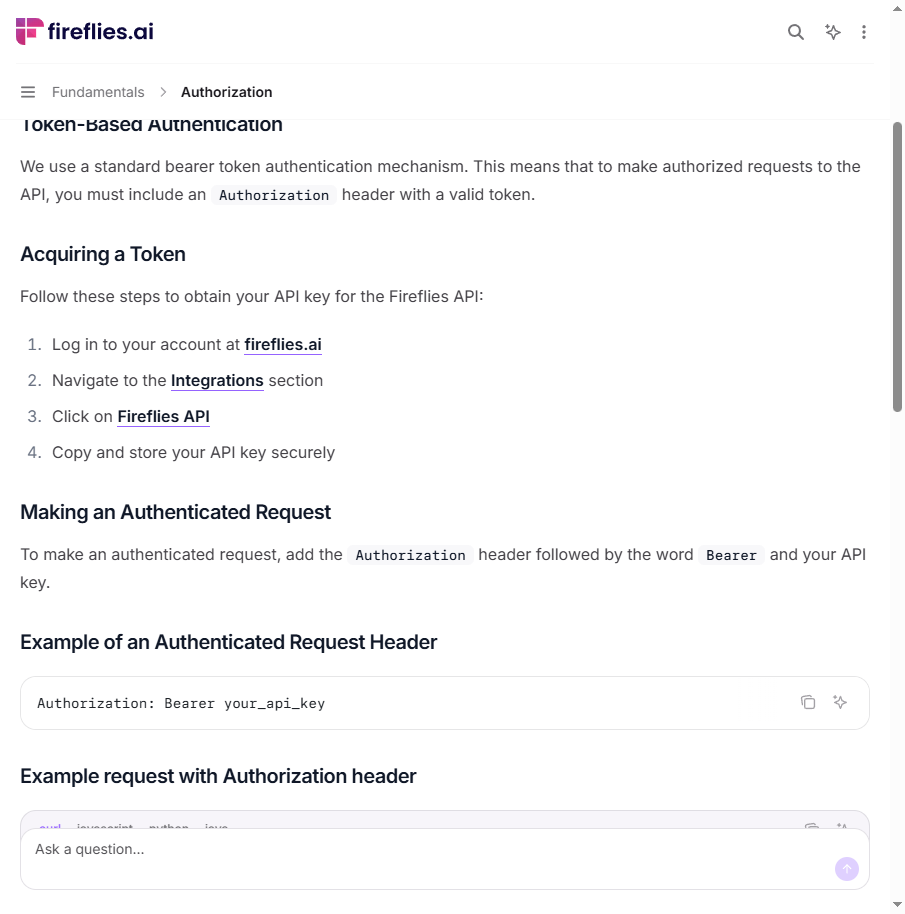
- Open Integrations (left sidebar) and click Fireflies API (direct link: app.fireflies.ai/integrations/custom/fireflies).
- Copy the API key shown there. Business/Enterprise admins can copy a team-wide key (syncs everyone's meetings); other plans get their own meetings.
These are Fireflies' own official steps - from their API documentation:
Step 2 - paste it in Myuser
- Open Integrations and pick your product (top right).
- In the Integrate into your recording software section, expand the Fireflies card.
- Paste the key and click Save Fireflies.
Step 3 - test it
Click Test Integration on the card - it verifies the key live and lists the teammates it can see (e.g. "Key accepted - 7 teammate(s) visible (Max, Nerijus, Gerry +4)"). Recordings start syncing right after: the first sync covers the last 14 days of meetings, then it re-checks every 2 hours.
Where things show up
- Sales Hub > Recordings - every synced meeting, with the "Fireflies" tag, duration, matched lead and the watch link.
- Click a row - the transcript panel opens: recording link + AI summary on top, speaker-labeled transcript below.
- Master AI - "summarize my recorded meetings this week", "did we record a call with anyone from acme.com?", "quote what they said about budget in the Tuesday call".
FAQ
How often does it sync? Every ~2 hours per product (the first connect pulls 14 days back, and each pass re-checks the last hour too so late transcriptions are never missed).
Do I need a paid Fireflies plan? The API key works on free plans for your own meetings; team-wide sync needs a Business/Enterprise admin key.
Nothing synced? The sweep only runs for products with recent campaign activity. Check the key with Test Integration; if it passes, give it one cycle (~2h max, usually much sooner).
Privacy - Myuser stores the transcript + summary + the watch link. The video itself stays on Fireflies; the watch link opens it there.